1.5K views Oct 2008
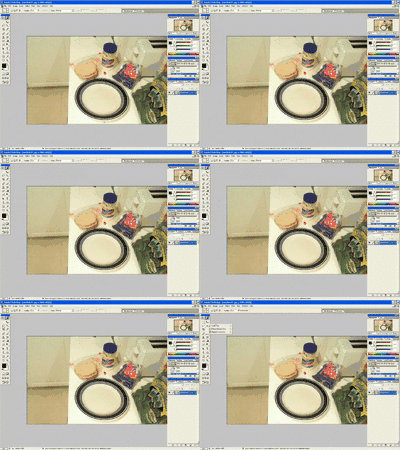
Donnie uses Photoshop to place and distort his marriage certificate on a Vanagon's windshield, creating a frosty-looking edit while claiming he is doing taxes.
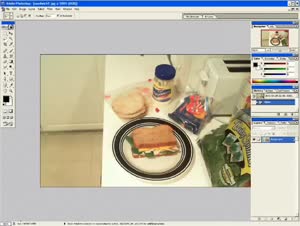
0:01 My name is Donnie, and you suck at Photoshop. You do, you're awful, and that's why you're here. 0:07 All right, let's get started. Tutorial 1, distort, warp, and layer effects. 0:12 Uh, this is basic to intermediate, so, um, but for you, I mean, this is going to be stupid hard advanced, so just, just try not to slow it down. 0:22 First off, get a photo, open up Bridge, and, you know, maybe you've got a photo of your family, or maybe, uh, you got a photo of some people who care about you, or maybe you've got a photo of the Vanagon that your wife and her f- friend from high school spend Friday nights in. 0:40 Uh, yeah, you know, so actually, oh hey, look, I've got that one myself right here, so let's go ahead and open that up. 0:45 That's what we'll start with. Um, let's just say for hypothetical that you really want to do some shit to this Vanagon, and I mean the real Vanagon. 0:56 But let's also say that there's a, a restraining order that prevents you from getting close enough to do that kind of shit to it. 1:02 So let's have Photoshop do the dirty work for us. Now, we could, what? 1:07 We could, uh, bash it up a little bit, um, or set it on fire. 1:13 You know, I'd rather try something a little more subtle. Let's put something in the windshield. 1:17 Now, we could put like a parking ticket, a- and or maybe like a bumper sticker, you know, that would maybe read like, um, if the Vanagon is a rockin', don't, my wife is being drilled by some guy named Ricky. 1:35 You know, I've actually, for me, I've got a copy of my marriage certificate, and so I'm going to put it on the driver's side of the windshield for him and everyone to see. 1:44 So let's open that up. We'll go back down to bridge, and let's see, I've got it. 1:49 And here we go. And the first thing I'm going to do, I'm going to select all, copy, close that, and paste it in. 1:57 Now I've got this new layer, and what I want to do is I want to reverse it so that he can read it. 2:02 So let's go flip horizontal. Great. Command T and transform this thing down. 2:06 Just going to rough it in just to estimate the size. Now, uh, I'm gonna grab the, uh, distort tool. 2:13 Uh, some people might grab the perspective tool, but, um, they're big pussies, so we're gonna do it, we're gonna do it the right way, and we're gonna just sort of rough it in, estimate it, 2:24 just sort of guess it in there, and, uh, get it to where we like it. 2:29 That's pretty good. And then you maybe just grab the warp tool and just warp it a little bit, you know, 2:39 like my, like my marriage, you know, just warp it up. 2:43 We got that's looking pretty good. Now we're just going to grab a simple layer. 2:47 I'm in the basement, on work on taxes. Shut up. 2:55 So let's just grab a 2:58 layer effect here. You might want to try lighten, that doesn't really do it, or over- overlay is a good one. 3:04 That kind of looks like it's a sort of a frosty windshield because it was very cold that day. 3:10 It's been cold just about every day. Um, so now we've got that in, that looks pretty good. 3:16 Um, s- 3:17 What are you doing? 3:18 Uh, what? 3:19 What? 3:19 No, I'm, uh, I'm working on taxes. 3:22 What do you mean, taxes? 3:24 I'm writing off furniture. 3:25 Oh, Jesus Christ. 3:30 Um, 3:32 so that's, there's your photo. Um, you know, it's pretty good before, 3:41 after. 

 6:16
 2:32
 1:44
 0:54
 2:14
 1:40
 2:55
 3:34
 0:49
 0:27
 1:42
 1:11
